
Create Faster

Create social media content in minutes with AI-powered text, image and video generation. Save time, stay consistent, and keep your audience engaged across every platform.

Post Smarter

Plan, organize, and publish your content automatically at the perfect time. Our smart scheduling system keeps your social media active and consistent without the daily hassle.

Measure What Matters

Transform raw metrics into actionable insights with real-time post-level breakdowns, and metrics that show you exactly what’s working, who’s engaging, and what need attention.

How Posting Suite Drives Social Media Growth For

You did not build your business to spend every night wondering what to post.


But when client work gets busy, social media goes quiet. Leads slow down. Then comes the panic-posting. The problem is not discipline — it is the lack of a system. Posting Suite helps you turn one focused content session into a full week of visibility.


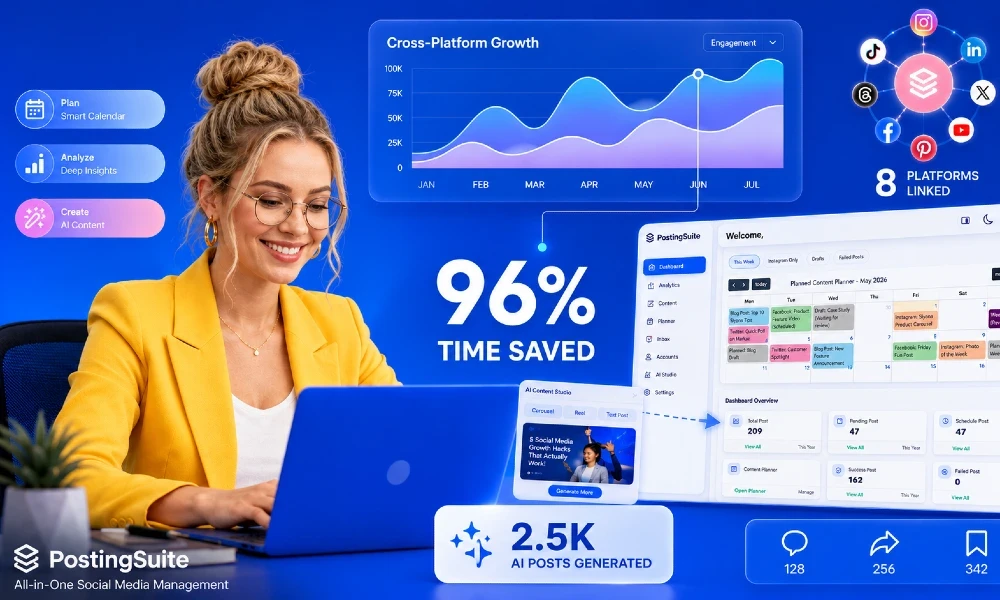
Create once. Schedule everywhere. Stay visible across LinkedIn, Instagram, TikTok, YouTube, X, and more — without logging into multiple apps or copying the same post again and again. With Posting Suite, one video, article, or idea can become multiple platform-ready posts. You get a visual content calendar, smart scheduling, and analytics in one simple dashboard.


No extra hire. No daily pressure. No missed posting days. You stay focused on serving clients while your content keeps working in the background. Build your weekly content system once — and let Posting Suite keep your brand visible, consistent, and lead-ready.


Start your free trial today and turn a few hours of work into a full week of social media presence.

You run a business — not a content studio or marketing agency.


But while your team is busy serving clients, your competitors are showing up daily across every platform. That silence costs you visibility, trust, and leads.

Posting Suite helps small teams stay consistent without hiring a marketing team.


Create one strong piece of content and turn it into platform-ready posts for LinkedIn, Instagram, TikTok, YouTube, X, and more. Schedule everything from one visual calendar. Track performance from one dashboard. No copying captions. No resizing content manually. No switching between five different apps.

With Posting Suite, your team can batch content in a few hours, schedule the week in advance, and let posts publish automatically while everyone stays focused on real work.


No extra headcount. No daily content pressure. No missed opportunities. You get the output of a marketing system without the cost of a full marketing department. Social media should not depend on whether your founder has time today. It should run through a repeatable system that builds visibility, trust, and leads in the background.


Start your free trial with Posting Suite today — and turn a few hours a week into consistent social media presence across every major platform.

You became a creator to create — not to spend hours reformatting posts for six different platforms.


But today, every platform needs a different format, caption, schedule, and posting rhythm. That means more admin work and less time making the content your audience actually follows you for. Posting Suite gives that time back.


Create one strong video, article, or idea and turn it into platform-ready posts for YouTube, TikTok, Instagram, LinkedIn, X, Shorts, Reels, and more — all from one dashboard. Plan your week in one visual calendar. Schedule posts at the best times. Track what performs across every platform without switching between apps. Your content keeps publishing while you edit, travel, sleep, or work on your next big idea.


No more copy-pasting captions. No more disappearing between major posts. Posting Suite helps you stay visible, grow consistently, and turn one great idea into a full week of content.


Start your free trial today — and spend less time managing content, more time creating it.

Your agency is not short on talent. It is short on time.


Every client wants content across multiple platforms, but your team loses hours resizing posts, copying captions, switching accounts, and building reports no one wants to make. Posting Suite turns that busywork into a system.


Create once and adapt content for every major platform from one dashboard. Plan every client campaign in a visual calendar. Schedule posts automatically at the right times. Track performance across platforms without jumping between apps. No more scattered spreadsheets. No more missed posts. No more wasting billable hours on manual scheduling.


Your designers, copywriters, and strategists stay focused on the work clients actually pay for: ideas, campaigns, and growth. Posting Suite helps agencies manage more clients, publish faster, prove results clearly, and protect team bandwidth — without adding headcount.


Start your free trial today and give your agency the system to replace overhead, scale output, and win more accounts.
6a202fd21f22a1780494290.webp

So, What Does Posting Suite Actually Do? Features at a Glance

Manage Accounts on Multiple Platforms

Connect every profile—Instagram, LinkedIn, x, TikTok, Facebook, Pinterest, YouTube, whatever you're running—from one central hub. No more logging in and out. Your entire digital presence lives in a single, organized dashboard. See every account at a glance: which ones are active, which need content, add new profiles in seconds.

6a25e0b2c02b71780867250.webp

Schedule Posts Across 8 + Platforms

Timing is everything in social media, but nobody should be glued to their phone at 6:45 am just to hit "Publish." posting suite's lets you plan, queue, and automate content across every connected platform—Instagram, LinkedIn, x, TikTok, Facebook, and beyond—from one unified calendar. Plans change? You can reschedule, pause, or push everything live early. 

6a25e0cfb87d61780867279.webp

Content Creation With AI: Text, Image, and Video

Here's the thing — you already know what you want to say. PostingSuite just helps you say it like a pro. The AI takes your half-formed thought and polishes it into a caption that actually sounds right for LinkedIn, TikTok, or X (because yes, they speak different languages). But it doesn't stop at words. Need a scroll-stopping visual or a product mockup sized perfectly for Stories, carousels, or feeds? Done. Got a script for a Reel? The video engine turns it into a structured short-form piece that flows. Basically, it bridges that annoying gap between "I have an idea" and "it's live." No production headaches. Just content that looks like you hired a team.


6a204bd950cd41780501465.webp

Built in AI Prompt Library for Text, Image, And Video Generation

You don't need to "feel creative" to publish great content. You need a starting point. PostingSuite's AI templates hands you proven frameworks for captions, images, and short-form videos — no blank screen required. Pick your format. Feed the AI a topic. Get words, visuals, and video structure built for you. In minutes, you have something worth posting. In hours? You'd still be waiting for inspiration to strike. Stop worshipping the muse. Start shipping.

6a204a9a916811780501146.webp

Full Content Visibility — From Today's Post To Next Month's Campaign

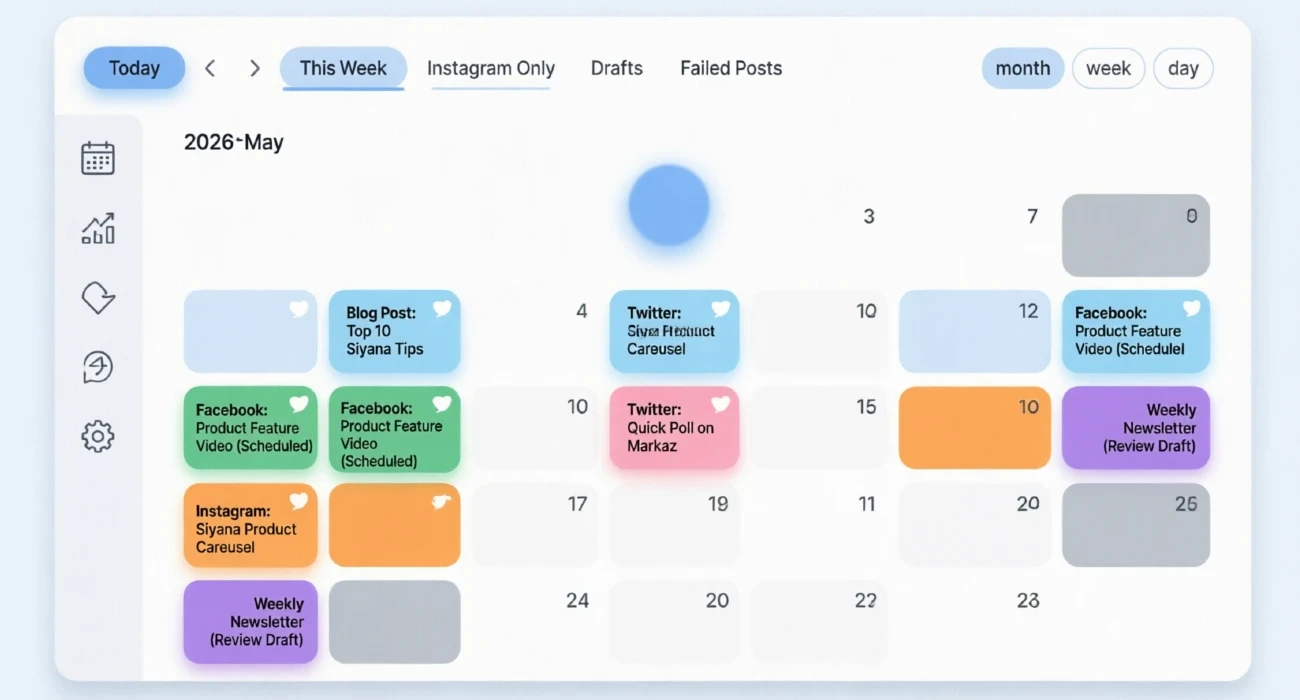
See everything you're posting—and when—in one simple view. No more scattered notes, forgotten drafts, or last-minute panic about what goes up tomorrow. Plan your week or your whole month in one sitting. Drag posts around if plans change. Spot gaps where you need more content before they become problems. Color-code by platform, campaign, or priority so you know what's happening at a glance without digging through a dozen apps.
6a20464583e261780500037.webp

Post-Level Analytics Across All Platforms

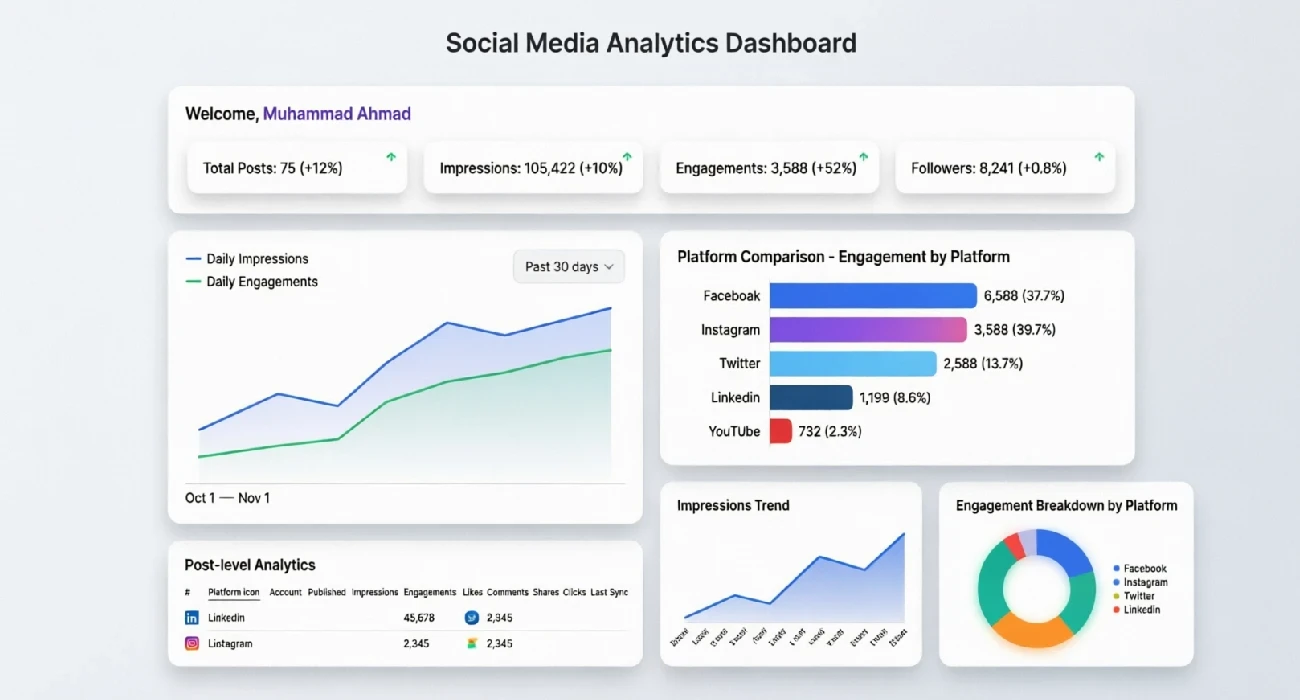
Posting Suite delivers unified performance analytics across every platform — tracking likes, shares, comments, clicks, and saves in one centralised view. Instantly surface top-performing content, identify trends by day, format, and topic, and benchmark post performance over time. With side-by-side content comparison, your team gains the clarity to make data-driven decisions about what content strategy to scale.
6a203c642346a1780497508.webp
Templates

AI powered social media template

Video

Video

We cant wait for you to explore all of our stories and create your own learning journeys. Before you do, here are the questions we get asked the most by our visitors.
Text

Text

Act as an expert copywriter for premium SaaS platforms. Generate 3 variations of website hero copy. Each variation must include:
Image

Image

We cant wait for you to explore all of our stories and create your own learning journeys. Before you do, here are the questions we get asked the most by our visitors.
Choose Your Plan

Transparent plans built to scale with your business

No hidden fees OR complicated setups. Choose the plan that matches your content volume today. Upgrade, downgrade, or cancel anytime as your team grows.

Free Plan

Disabled in Beta Version

$1

/MONTHLY
What’s included
  • 2 Social profile
  • 50 Social post
  • Facebook, Instagram Platform Access
  • Schedule posting
  • Webhook access
  • Text generation
  • Image generation
  • Video generation
  • 0% Affiliate commission

Professional Plan

Unified Multi-platform Publishing With Ai Text Generation, Content Planner And Centralized Analytics.

$15

/MONTHLY
What’s included
  • 10 Social profile
  • 999 Social post
  • Facebook, Instagram, Twitter, Linkedin, TikTok, Youtube, Threads, Pinterest, Reddit Platform Access
  • Schedule posting
  • Webhook access
  • Text generation
  • Image generation
  • Video generation
  • 9999 Text credits
  • Prebuilt ai prompts
  • 5% Affiliate commission

Professional Plan Pro

Unified Multi-platform Publishing With Content Planner And Centralized Analytics.

$180 $150

/YEARLY
What’s included
  • 15 Social profile
  • UNLIMITED Social post
  • Facebook, Instagram, Twitter, Linkedin, TikTok, Youtube, Threads, Pinterest, Reddit Platform Access
  • Schedule posting
  • Webhook access
  • Text generation
  • Image generation
  • Video generation
  • 999999 Text credits
  • Prebuilt ai prompts
  • 199 Image credits
  • 5% Affiliate commission

Business Plan Pro

All-in-One AI Image & Video Generation, Multi-Platform Publishing, Planner & Unified Analytics.

$420 $360

/YEARLY
What’s included
  • 49 Social profile
  • UNLIMITED Social post
  • Facebook, Instagram, Twitter, Linkedin, TikTok, Youtube, Threads, Pinterest, Reddit Platform Access
  • Schedule posting
  • Webhook access
  • Text generation
  • Image generation
  • Video generation
  • 999999 Text credits
  • Prebuilt ai prompts
  • 300 Image credits
  • 100 Video credits
  • 5% Affiliate commission

Starter Plan Pro

Multi-platform Publishing With Content Planner And Centralized Analytics.

$180 $120

/YEARLY
What’s included
  • 20 Social profile
  • UNLIMITED Social post
  • Facebook, Instagram, Twitter, Linkedin, TikTok, Youtube, Threads, Pinterest, Reddit Platform Access
  • Schedule posting
  • Webhook access
  • Text generation
  • Image generation
  • Video generation
  • 5% Affiliate commission
Standalone Add-on

Ai Video Generation

Extra video generation credits that work independently or alongside your subscription package.

Credits 20 Videos
Price $25
Reviews

What our Clients say.

Posting Suite customers typically see real, measurable changes in their social media results. Users report saving 5-10 hours per week on content creation. Engagement rates often climb 30-50% within the first month because posts go out at the right times with messaging. Most importantly, businesses grow their follower base 2-3x faster when they post consistently with data-backed content

  • “I don't usually write reviews but Posting Suite genuinely helped me. I was struggling to keep up with Instagram, Facebook, and TikTok. Now I plan everything in one sitting, I can finally sleep in on weekends because my posts go out automatically. Thank you, seriously.”

    6a0dde71764231779293809.jpg
    Ajmal Ali
    From MakeMeViralToday.com
  • “Consistency was always my biggest problem. Posting Suite helped me organize my content, and keep all my accounts active without stress. I especially like how fast the AI creates captions and social media ideas. It honestly feels like having a mini content team built into one platform.”

    6a0ddea5725771779293861.jpg
    Azhar Umar
    From PerfumeMarket.pk
  • “Okay, real talk. I'm not a social media pro. I just own a small business and was totally overwhelmed trying to post everywhere. PostingSuite made it stupid simple. The analytics dashboard alone justifies the subscription, now I make data based decisions rather than relying on gut instinct.”

    6a0ddf00631311779293952.jpg
    Abu Saeed
    From Movers Express
    Blogs

    Expert Guides, Tips, News & Blogs


    6a24792fbbce31780775215.webp
    Apr 5, 2026

    Is It Really 50x Faster? Posting Suite vs. The Old Way

    Is Posting Suite Really 50x Faster? A Realistic Breakdown When a software page claims it can make your social media workflow 50x faster, the natural reaction is skepticism. Most marketers, creators, and business owners have seen bold software promises before. The problem is not the claim itself — it is the lack of context. What does "50x faster" actually mean? Faster compared to what? And more importantly, is it realistic for your workflow? Managing social media today is rarely as simple as writing a caption and clicking publish. Most people juggle multiple tools, spreadsheets, approval chains, platform logins, analytics dashboards, and endless copy-pasting between apps. So instead of taking marketing claims at face value, let's compare both approaches honestly. We'll break down the traditional way of managing social media, compare it to Posting Suite's unified workflow, and see whether the "50x faster" claim actually holds up. What the Old Way of Social Media Management Looks Like The old way is not simply "posting manually." It is a fragmented process that forces you to switch between multiple tools and platforms throughout the day. Planning Content Across Multiple Tools Most teams plan content using scattered systems: Google Sheets Google Docs Slack messages Email approvals Sticky notes and spreadsheets Ideas often live in one place while approvals live somewhere else. Deadlines are buried inside project management tools, and content calendars quickly become messy. This means you are not only planning content — you are spending time managing the planning process itself. Creating Content Manually Content creation becomes another time-consuming layer. A typical workflow might include: Writing captions manually Opening Canva or another design platform Creating visuals for different dimensions Resizing content for every platform Rewriting captions to fit character limits For example: Instagram needs one format LinkedIn prefers another tone TikTok requires vertical formatting X has shorter text requirements Even when the message stays the same, execution changes repeatedly. Publishing One Platform at a Time This is where repetition starts to hurt productivity. The old workflow usually looks like this: 1.Log into Instagram 2.Paste caption 3.Upload image 4.Add hashtags 5.Schedule post 6.Repeat for Facebook 7.Repeat for LinkedIn 8.Repeat for TikTok 9.Repeat for X Multiply this process across multiple brands or accounts and the hours disappear quickly. Manual Analytics Tracking The work does not stop after publishing. Most teams still: Open native analytics dashboards Take screenshots Export spreadsheets Combine reports manually Try to spot trends from disconnected data What should take minutes often turns into hours. A Realistic Weekly Time Breakdown Imagine you publish 5 posts per week across 8 platforms. That becomes 40 publishing actions. A realistic manual breakdown might look like this: Planning: 8–10 hours Writing captions: 4–6 hours Designing & resizing: 4–5 hours Publishing: 4–6 hours Analytics & reporting: 2–4 hours Total time: Approximately 28 hours per week How Posting Suite Changes the Workflow Posting Suite replaces fragmented workflows with a centralized dashboard designed to simplify planning, creation, publishing, and analytics. 1Unified Content Planning Instead of juggling spreadsheets and Slack messages, Posting Suite gives you one centralized content calendar. Plan weeks ahead Organize campaigns visually Manage approvals efficiently Keep teams aligned This alone removes hours of unnecessary coordination. 2AI-Assisted Content Creation Creating captions no longer starts from a blank page. With AI assistance, you can: Generate post ideas Create caption drafts faster Rewrite content for different platforms Reduce creative blocks AI does not replace creativity — it speeds up execution. 3Multi-Platform Publishing Instead of logging into every platform separately, Posting Suite allows you to schedule across 8+ social platforms from one dashboard. This means: Less copy-pasting Fewer formatting mistakes Better scheduling consistency Faster publishing workflows 4Real-Time Analytics Instead of opening multiple dashboards, Posting Suite centralizes analytics in one place. Track performance instantly Spot trends faster Create reports quickly Spend less time collecting data Old Way vs. Posting Suite Comparison Task The Old Way Posting Suite Planning Spreadsheets & scattered docs Unified content calendar Writing Captions Manual writing AI-assisted drafting Scheduling One platform at a time Multi-platform publishing Analytics Manual reporting Real-time dashboard Time Spent ~28 hours/week ~2 hours/week So, Is Posting Suite Really 50x Faster? The honest answer is: sometimes — but not always. If you are posting only a few times per week on one platform, the difference may feel more like 5x to 10x faster. But for agencies, marketers, and businesses managing multiple accounts and platforms, the speed gains become far more dramatic. In a conservative example: Old workflow: 28 hours Posting Suite workflow: 2 hours That equals roughly 14x faster. However, high-volume publishers managing multiple brands may genuinely experience something close to 50x faster because repetitive tasks shrink dramatically. The Hidden Time Costs Nobody Talks About Context Switching Switching between tabs, tools, and platforms destroys focus and slows momentum. Decision Fatigue Constantly wondering what to post drains mental energy. AI assistance reduces that burden. Error Correction Fixing a mistake across eight separate platforms takes far longer than correcting it once before publishing. Who Benefits Most From Posting Suite? Social Media ManagersFaster workflows across multiple accounts Marketing TeamsBetter approvals and collaboration SolopreneursSave time without sacrificing consistency Content CreatorsEasier content repurposing AgenciesMassive time savings at scale Final Verdict: Faster Is Only Part of the Story So, is Posting Suite really 50x faster? For some workflows, absolutely. For others, the improvement may look more like 10x to 14x faster. But the biggest win is not just speed. It is reduced stress, fewer repetitive tasks, centralized workflows, and more time to focus on strategy instead of busy work. If your current social media process feels chaotic, repetitive, and exhausting, the easiest way to test the difference is simple: Track one week of your current workflow — then compare it to Posting Suite. Ready to see the difference for yourself? Try Posting Suite and discover how much time you can reclaim.
    6a1f10036dadd1780420611.webp
    Apr 5, 2026

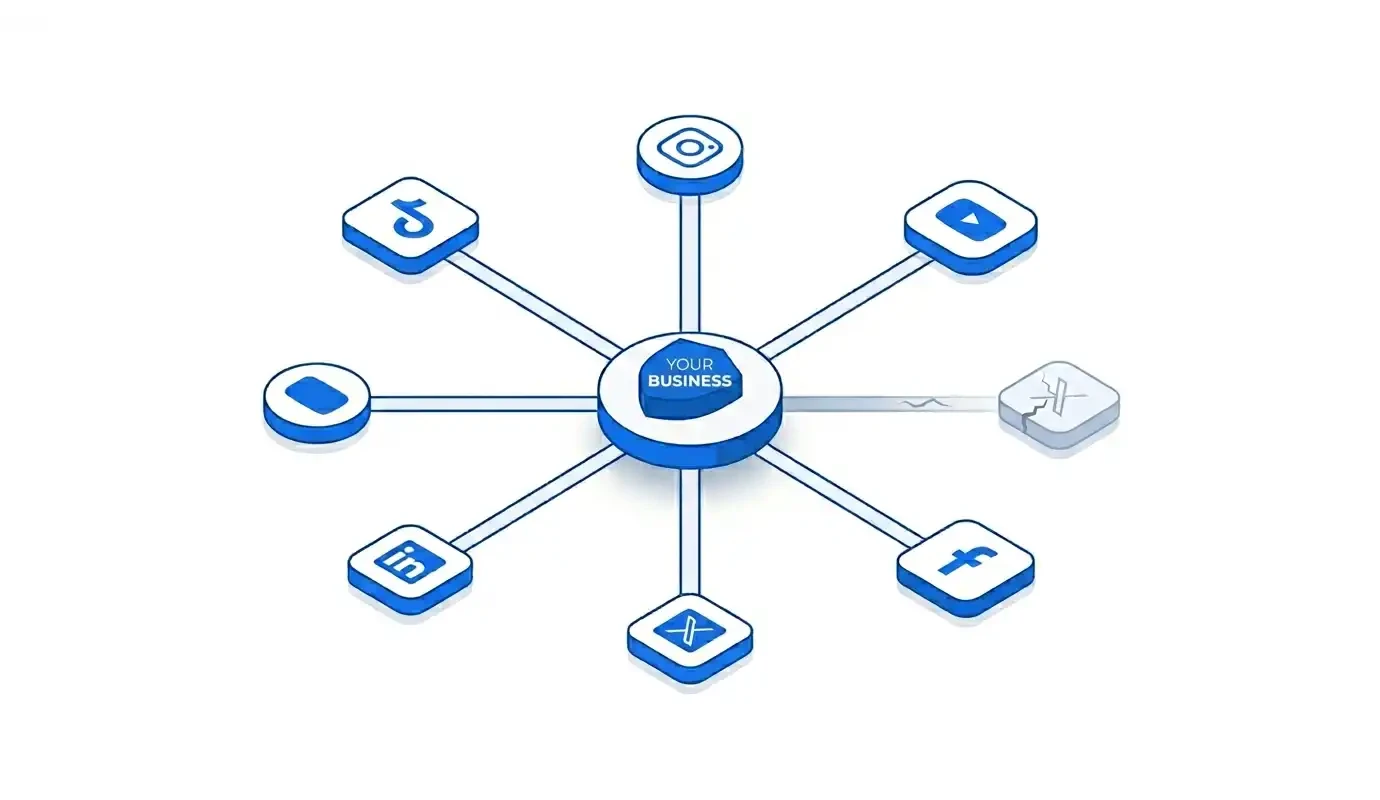
    Why Smart Brands and Businesses Never Depend on Just One Platform

    A Strategic Guide to Multi-Platform Social Media Risk Management Sarah's DTC skincare brand had 400,000 TikTok followers. For 18 months, organic traffic drove 40% of her revenue. Her team filmed content, rode trends, and built a community that actually bought products. Then, one Tuesday morning, her reach dropped 60%. No warning. No explanation. No appeal. An algorithm update had reshuffled the feed, and her content—content that had performed consistently for a year and a half—simply stopped being seen. The team panicked. They poured money into ads to compensate. They posted more frequently, chasing the old engagement levels. Nothing worked. Sarah had built her entire audience on someone else's land, and the landlord had changed the lease terms overnight. Meanwhile, a competitor running a parallel strategy saw the same TikTok dip—about 15%. Barely a blip. They were active on Instagram Reels, YouTube Shorts, and LinkedIn. Their overall traffic held steady because no single platform controlled their audience. They had what Sarah didn't: Algorithm Insurance. Algorithm Insurance is the practice of treating your multi-platform presence not as a growth hack for ambitious brands, but as fundamental risk management. An omni-channel social media strategy protects your revenue, visibility, and audience relationships from forces you cannot control—algorithm shifts, policy changes, platform instability, and audience migration. The Critical Question If your primary platform disappeared tomorrow, would your audience know where else to find you? Most businesses can't answer that question honestly. And that silence is the sound of uninsurable risk. The Hidden Risk of Single-Platform Dependency Building your entire social presence on one platform is structurally dangerous. Not because you're lazy. Not because you're naive. Because the platform business model is designed to extract value from your attention, not to protect your business. There are three risk vectors that make single-platform dependency a ticking problem: Algorithm Volatility Organic reach is not a right. It is a loan, and the terms change without notice. Platforms adjust their algorithms constantly—often to push creators toward paid advertising. Instagram's pivot from photos to Reels punished photo-only creators who had spent years optimizing for a format that was suddenly deprioritized. Facebook's organic reach collapsed from roughly 16% in 2012 to under 5% by the early 2020s. TikTok's uncertain legislative future in the US has left millions of businesses wondering if their primary marketing channel will simply cease to exist in their market. Platform Instability Beyond algorithms, there are policy changes, account bans, shadow banning, outages, and regulatory intervention. An account that violates a terms-of-service update—intentionally or not—can lose years of audience-building overnight. No appeal process guarantees restoration. No customer service line saves your quarterly revenue. The platform owns the relationship with your audience. You are a tenant. Audience Migration People shift platforms constantly. Vine died, and its creators scrambled to Instagram. MySpace evaporated, and its audience moved to Facebook. Snapchat's dominance among younger users fractured when TikTok arrived. The audience you built on today's dominant platform will follow the next cultural shift to somewhere you may not be present. Brands that only follow one migration path lose ground in the next one. Think of it this way: a single-platform strategy is like a restaurant with one supplier. The moment that supplier faces a disruption—a price spike, a recall, a shutdown—your entire operation is exposed. Omni-channel isn't greed. It's survival planning. This isn't about fear. It's about building a business that survives the conditions it cannot control. Why Smart Brands Diversify: The Business Case for Omni-Channel If risk management were the only argument, omni-channel would be a defensive strategy. But diversification is also offensive. It expands your reach, deepens your authority, and accelerates trust. Here's the business case in three pillars: Pillar 1 — Audience Reach Is Fragmented by Design Different demographics live on different platforms. More importantly, the same person behaves differently depending on where they are. The millennial professional scrolling LinkedIn at 8am is not the same person laughing at TikTok at 11pm. Being present across ecosystems means reaching your audience in the context where they are most receptive—not just where you happen to be most comfortable. Map your platforms by role: TikTok → Discovery and entertainment; cold audience acquisition Instagram → Community, lifestyle, engagement; warm audience nurturing YouTube Shorts → Evergreen, searchable content; long-term discoverability LinkedIn → Thought leadership, B2B authority, professional trust Facebook → Groups, communities, older demographics X (Twitter) → Real-time conversation, industry commentary Each platform serves a different function in your buyer's journey. Ignoring any of them means leaving money on the table. Pillar 2 — Cross-Platform Presence Creates a Virtuous Cycle Platforms often algorithmically reward creators who bring external traffic. A YouTube video that drives viewers to your Instagram boosts authority signals on both platforms. A LinkedIn post that links to your YouTube Shorts creates cross-pollination that compounds discoverability over time. This "omnipresence effect" accelerates the buyer's journey—people who encounter your brand across multiple touchpoints move from awareness to trust significantly faster than those who see you once. Pillar 3 — You Don't Own a Rented Audience An email list is yours. A website is yours. A TikTok following belongs to TikTok. Social media risk management isn't just about surviving platform failure—it's about gradually moving rented audiences toward owned channels. The more touchpoints you control, the less vulnerable you are to any single landlord changing the terms. The Consistency Paradox Here's the objection I hear most often: "If every platform has a completely different culture, how do I maintain a coherent brand without creating 8x the work?" The answer is Adaptive Consistency: your core brand identity—values, tone, visual language, key messaging, personality—remains fixed, while the expression of that identity adapts to the native format of each platform. Consider a fitness brand. Same company. Same mission. Same voice. Four different containers: TikTok: 15-second transformation clips using trending audio. High energy. Rapid cuts. Creator-native format. LinkedIn: A 300-word founder post on the connection between discipline and entrepreneurship. Same brand tagline. Same colors. Completely different container. YouTube Shorts: A 45-second educational tip with the same host, the same visual identity, but framed as searchable how-to content. Instagram: A polished carousel breaking down a workout myth. High-production aesthetic. Community-focused caption. Same brand. Same voice. Same values. Four completely different containers. To make this repeatable, use the 3 Cs Framework: Core Message What stays the same: Your brand values, visual identity, key messaging, tone personality Container What changes: Format, length, aspect ratio, caption style, native features per platform Cadence When and how often: Platform-specific posting frequency optimized for each algorithm Adapting your container is not compromising your brand. It is respecting your audience enough to meet them where they already are. "Being everywhere doesn't mean doing everything. It means being strategic about where you show up." The Efficiency Myth: Why "Managing 8 Platforms" Sounds Worse Than It Is Let's be honest about the operational pain. The old workflow was genuinely exhausting: Log into TikTok. Export the clip. Re-edit for Instagram's 9:16 ratio. Rewrite the caption—different character count, different hashtag strategy, different CTA. Log into YouTube Studio. Re-upload. Reformat the thumbnail. Switch to LinkedIn. Rewrite the entire post in professional language. Manually schedule each one in each platform's native scheduler. Check analytics across five separate dashboards. Repeat tomorrow. This did require multiplying your workload. For individual creators or lean marketing teams, it was unsustainable. And that unsustainability became the excuse for staying single-platform. But modern unified publishing tools have fundamentally changed this equation. Posting Suite is the operational answer to the structural problem just described. It is not a shortcut. It is the system that separates strategic brands from exhausted social media managers. Here's how the Across 8+ Platforms capability works in practice: You input your core asset and message once into a single dashboard. The tool formats natively for each platform's requirements—aspect ratios, caption character limits, hashtag best practices, optimal scheduling windows. All platform variations are visible side-by-side before publishing, allowing a brand manager to apply the Adaptive Consistency framework at a glance. Analytics are centralized, so performance across all channels feeds into one view. Cross-platform visibility does not require cross-platform complexity. This isn't just a time-saving feature. It is what makes an omni-channel strategy operationally viable for teams that don't have a 10-person social department. It removes the legitimate barrier that has kept smart businesses from protecting themselves. Your Starter Playbook: Getting Started in 30 Days If you're currently operating on a single platform, here is your exact next month:  Audit Your Best Content (Days 1–3) Pull your analytics from the last 90 days. Identify 5–10 pieces of "evergreen winner" content—posts that over-performed in reach, saves, shares, or conversions. These are your redistribution candidates. Do not create new content yet. Work with what has already proven itself. Map Your Secondary Platforms (Days 3–5) Based on your primary platform and target audience demographics, identify your top 3 secondary platforms. If TikTok is primary, add YouTube Shorts for searchability and long-term discoverability, and Instagram for community depth. If LinkedIn is primary, add YouTube for authority content and X for real-time conversation. Be strategic, not scattered. Repurpose, Don't Recreate (Days 5–14) Apply the Adaptive Consistency framework to your evergreen winners. Take proven assets and re-express them in the native format of each new platform. One piece of content. Three platforms. Three containers. This is content repurposing at its most disciplined. Establish a 30-Day Test Cadence (Days 14–30) Use a unified posting tool to schedule your redistributed content across all platforms simultaneously. Track which secondary platform delivers the most meaningful "insurance reach"—engagement, follows, or traffic—relative to your primary channel. This is your multi-channel content strategy in motion. Review and Double Down At day 30, identify which secondary platform gained the most traction. Increase cadence there. Do not abandon your primary channel. The goal is to add resilience, not dilute focus. You are building social media diversification, not chaos. A Smarter Strategy for 2026 and Beyond Smart businesses do not attempt to predict which platform will dominate next year. They position themselves to remain visible regardless of which platform shifts, grows, or collapses. The brands that survived the Facebook organic decline, the Vine shutdown, and the TikTok uncertainty were not the ones who predicted the change. They were the ones who had already built parallel audiences. The next wave of social fragmentation is already forming. AI-native platforms, decentralized social networks, and short-form audio are all emerging channels that will compete for your audience's attention. A diversified foundation built today is the only infrastructure that remains relevant through whatever comes next. The smartest brands don't rely on one platform to survive. They build a presence strong enough to thrive—regardless of which platform changes next. What to Do Now Sit with one diagnostic question: If your primary platform's organic reach dropped 60% tomorrow—would your audience know where else to find you?If the honest answer is no, that is the gap this article has been addressing. If managing multiple platforms has felt like a reason to delay building that safety net, Posting Suite removes the operational barrier. One dashboard. Eight platforms. Your brand, consistently visible—wherever your audience happens to be. Start Building Your Algorithm Insurance Today Start with your audit. Map your secondary channels. Apply the 3 Cs Framework. And give your business the insurance it should have had all along.
    6a247e2486bae1780776484.webp
    Jun 2, 2026

    The 4 Social Media Metrics That Actually Matter (And How to Act on Them in Real Time)

    The 4 Social Media Metrics That Actually Matter Stop obsessing over raw likes and follower counts. Here's what to track instead — and what to do the moment those numbers shift. You've been refreshing your dashboard all day, watching the likes roll in. Your latest post hit 10,000 impressions. Your follower count ticked up by thirty. And yet — your sales haven't moved. Your inbox is quiet. Your lead gen form might as well be a digital ghost town. If that sounds familiar, you're not alone. Most social media managers are drowning in numbers that feel important but say almost nothing about whether their strategy is actually working. The platforms hand you vanity metrics on a silver platter because those numbers keep you engaged — on their platform. But your business doesn't run on impressions. It runs on revenue, relationships, and results. Here's the truth: there are exactly four categories of metrics that determine whether your social media strategy is working. Most marketers are actively tracking one, passively aware of another, and completely ignoring the other two. That's a problem — but it's also an opportunity. By the end of this post, you'll know not just what to track, but what to do the moment those numbers shift. TL;DR: Stop obsessing over raw likes and follower counts. The four metrics that actually matter are: Engagement Rate (quality of interaction), Click-Through Rate (bridge to your funnel), Audience Growth Rate (velocity of growth, not volume), and Conversion Rate from Social (actual business impact). Track these in real time, and act immediately when they move. The Problem With Vanity Metrics Let's be honest: vanity metrics feel good. There's a small dopamine hit every time you see a post crack five figures in impressions or your follower count rolls over a nice round number. But feeling good and performing well are not the same thing. Vanity metrics — impressions, total reach, raw likes, follower count — are seductive because they're visible. They're the first numbers platforms show you, often in large, friendly fonts. But visibility doesn't equal value. A post with 50,000 impressions and zero clicks is objectively worse than one with 2,000 impressions and 300 clicks. The first post made noise. The second made progress. The deeper issue is that these metrics don't correlate to revenue or audience quality. You can buy followers. You can boost impressions. You can rack up likes from bots or passive scrollers who will never remember your brand, let alone buy from it. Platforms are designed to surface these numbers because they keep you creating content — for the platform. Not for your business. So what should you be watching instead? Here are the 4 metrics that actually tell you something. The 4 Metrics That Actually Matter 1Engagement Rate Total meaningful interactions divided by total reach or impressions, expressed as a percentage. Raw engagement numbers are easy to game and hard to interpret. A post with 500 likes sounds impressive until you realize it reached 200,000 people. That's a 0.25% engagement rate — and that's abysmal. Engagement rate tells you what percentage of people who saw your content cared enough to respond in a meaningful way. We're talking comments, shares, saves, and clicks — not passive thumbs-ups. According to Sprout Social's benchmark data, industry averages typically sit between 1–3% across major platforms. Anything above 5% is genuinely strong, and if you're consistently hitting 7–10%, you're in elite territory. When it drops: Audit your last five posts immediately. Did you shift topics away from what your audience expects? Did you change posting times and miss your audience's active hours? Did you switch from video to static images, or vice versa, without testing first? Engagement rate is a diagnostic tool — a drop is your content telling you something changed, and not in a good way. When it spikes: Double down now. Repurpose that content into a different format. Create a direct follow-up while the topic is hot. Pin it to your profile. Turn it into an ad. High engagement rate is proof you struck a nerve — don't let that insight go to waste. 2Click-Through Rate (CTR) The percentage of people who clicked a link in your post out of everyone who saw it. This is the bridge between social media and everything that happens on your website. If people aren't clicking, your funnel is broken before it even begins. It doesn't matter how beautiful your landing page is or how compelling your offer sounds if nobody makes it past the social post. CTR is brutally honest. It strips away the comfort of high impressions and forces you to confront a simple question: did your content actually motivate anyone to take the next step? When it drops: Start with your call-to-action. Is it vague? "Learn more" is a cop-out. "See the exact template we used to cut reporting time by 60%" is a reason to click. Next, check your link preview — does the image look broken, cropped weird, or untrustworthy? Finally, audit message match. If your post is about social media strategy but your link leads to a general marketing services page, you've created friction you can't afford. When it's strong: Document everything. What was the content format? What was the CTA phrasing? What time did it post? What did the thumbnail look like? Strong CTR means you've found a pattern that converts attention into action. Your job is to replicate that pattern until the data tells you otherwise. 3Audience Growth Rate Net new followers over a time period divided by your existing audience, expressed as a percentage. Follower count is a snapshot. Audience growth rate is a story. One thousand new followers on a 500-person account is explosive 200% growth. One thousand new followers on a 500,000-person account is 0.2% stagnation. Raw count hides this truth, and hiding the truth is how you end up celebrating mediocrity. Growth rate reveals whether your audience is compounding or flatlining. It accounts for churn, for seasonality, and for the reality that growth gets harder as you scale. A healthy growth rate means your content is finding new people faster than you're losing old ones. When it stalls: Look backward. What content drove your last growth spike? Was it a collaboration, a viral post, a trending audio, or a specific hashtag strategy? If your posting frequency has dropped, that's usually the first culprit. If your frequency is steady, look at competitor activity — is there a conversation happening in your industry that you've gone silent on? When it accelerates: Identify the trigger and engineer it intentionally. If a collaboration drove the spike, book another. If a specific post format went viral, build a content series around it. If a hashtag put you in front of a new audience, create three more pieces for that community. Acceleration is not luck — it's leverage. 4Conversion Rate from Social The percentage of social visitors who completed a desired action: purchase, sign-up, download, or inquiry. This is the only metric that directly ties social media to business outcomes. Everything else — engagement rate, CTR, growth rate — is upstream of this number. They matter because they feed into this one. Conversion rate is where marketing meets math. It doesn't care how creative your post was or how many hours you spent on the graphic. It cares about one thing: did a person who found you on social media do the thing you wanted them to do? When it drops: Check message match first. Does your landing page deliver on the promise your social post made? If you teased a "free ROI calculator" and the landing page asks for a credit card, you haven't just lost a conversion — you've damaged trust. Next, check mobile load times. Over 60% of social traffic is mobile, and every second of load time kills conversions. Finally, verify your UTM tracking. If your attribution is broken, you might be converting just fine and not knowing it. When it's high: Scale immediately. Increase the budget on that campaign, extend its run dates, and use its messaging as a template for future creative. High conversion rate is proof that you've aligned audience, message, and offer. That's rare. Treat it like the asset it is. "The gap between when your data is generated and when you act on it is where your competitors win." The Real-Time Advantage: Why Lag Kills Strategy Here's a scenario that plays out in marketing teams every single week: a campaign underperforms on Tuesday. Nobody notices until Friday's standup. They spend Monday in a spreadsheet trying to diagnose the problem. By Wednesday, they've made a decision. By Thursday, they've implemented a fix. The campaign that needed help ten days ago is finally getting attention — and the window of opportunity has already slammed shut. This is strategy lag. It's the gap between when data is generated and when a marketer acts on it. Most teams still live in weekly CSV exports, stitched-together reports, and "let's circle back next Monday" decision-making. In that lag time, algorithms shift, audiences move on, and competitors who are monitoring in real time eat your lunch. Real-time monitoring changes the game entirely. If your engagement rate tanks on a Tuesday afternoon, you can swap Wednesday's content before you've wasted the post. If a piece of content goes unexpectedly viral, you can boost it within the hour — not the week. If your CTR on LinkedIn is double what you're seeing on Instagram, you can reallocate creative resources before your next campaign brief is even written. Speed of insight equals speed of response. And speed of response is a competitive advantage that compounds over time. Most Analytics Tools Tell You What Happened. You Need One That Tells You What to Do Next. If you're managing more than two platforms and still living in spreadsheets, you already know the pain. You're exporting CSVs from Instagram Insights, downloading reports from Twitter Analytics, toggling between LinkedIn Analytics and Facebook Business Suite, and then — somehow — trying to compare apples to oranges in a single Google Sheet that never quite formats correctly. Posting Suite's Real-time Analytics Dashboard was built to eliminate that workflow entirely. All four of the metrics above — engagement rate, CTR, audience growth rate, and conversion rate — are visible in a single view. No toggling. No exports. No manual cleaning. You see which platform is delivering the best CTR right now, which content format is driving engagement rate spikes this week, and where your audience growth is actually accelerating — all without opening a spreadsheet. The dashboard isn't just a reporting tool. It's a decision-making surface. The numbers are designed to prompt action, not just observation. When a metric moves, you know what to do next because you can see the full context in real time — not five days later when the moment has passed. If you're managing more than two platforms and still living in spreadsheets, it's time to see what your data looks like in one place. Conclusion Vanity metrics feel productive. They give you something to report in a Monday meeting. But reporting numbers that don't correlate to business outcomes is just organized guessing. The four metrics outlined here — engagement rate, CTR, audience growth rate, and conversion rate from social — give you a complete picture. They tell you if your content is resonating, if your audience is growing with intention, if your funnel is functioning, and if your social efforts are actually driving revenue. Tracking the right metrics isn't just about better reports. It's about reclaiming the hours you spend stitching together spreadsheets and using them to actually improve your strategy. It's about closing the gap between insight and action. And it's about making social media the growth engine it was always supposed to be — not just a numbers game you play to feel busy. See Your Data in Real Time → Stop living in spreadsheets. Start making decisions.
    6a248113352201780777235.webp
    Jun 3, 2026

    How to Stay Consistent on Social Media Without Hiring a Team

    Schedule Posts Across 8+ Platforms: A B2B Content Deep Dive What This Feature Actually Solves for Modern Businesses The "Schedule Posts Across 8+ Platforms" capability isn't just a convenience feature—it's a strategic infrastructure layer that addresses one of the most expensive operational problems in B2B social media marketing: platform fragmentation overhead. Let's unpack what that means and why it matters. The Real Cost of Multi-Platform Management Most B2B content teams don't track the hidden cost of manual cross-platform publishing. Here's what actually happens in a typical workflow when you manage eight platforms natively: Task Time per Post Annual Cost (2 posts/day) Native login & navigation 2 min × 8 platforms ~97 hours Format adaptation (aspect ratios, character limits) 5 min × 8 platforms ~243 hours Caption rewriting per platform 3 min × 8 platforms ~146 hours Manual scheduling & timezone management 2 min × 8 platforms ~97 hours Total administrative overhead — ~583 hours/year That's nearly 15 full work weeks spent not on strategy, not on creative, not on audience engagement—but on the mechanical act of getting content from point A to point B. For a solo operator billing $100/hour, that's $58,300 in opportunity cost. For a small agency, it's the equivalent of a full-time hire. The Schedule Posts Across 8+ Platforms feature collapses this entire workflow into a single dashboard. The economics aren't subtle—they're transformative. How the Feature Works in Practice Unified Composition Layer Rather than creating content eight separate times, you build from a single source. The platform handles the technical translation: LinkedIn → Long-form text, professional tone, no hashtags in body Instagram → Visual-first, carousel support, story mentions X/Twitter → Thread formatting, 280-character optimization TikTok → Vertical video scheduling, caption hooks YouTube → Long-form video, SEO-optimized descriptions Facebook → Group vs. Page targeting, link preview control Pinterest → Pin scheduling, board assignment Google Business Profile → Local SEO posts, event formatting The critical distinction: you're not copy-pasting identical content everywhere. You're adapting once, distributing everywhere—with platform-native formatting handled automatically. Visual Content Calendar The calendar view isn't just a prettier spreadsheet. It serves a strategic function: Gap detection: Spot content droughts before they happen Platform balance: Ensure you're not over-indexing on one channel Campaign alignment: Map content cadence to product launches or events Team visibility: Shared view for stakeholders without dashboard access For B2B teams, this transforms Monday planning from a reactive scramble into a proactive operational review. Automated Optimal Scheduling Platform algorithms reward consistency, but "consistency" doesn't mean "post whenever you remember." Each platform has documented engagement windows: Platform Optimal B2B Posting Windows LinkedIn Tuesday–Thursday, 8–10 AM, 12 PM X/Twitter Tuesday–Thursday, 9 AM, 12 PM, 3 PM Instagram Tuesday, 11 AM–2 PM; Weekdays, 10 AM–3 PM Facebook Tuesday–Thursday, 1–3 PM YouTube Thursday–Sunday, 2–4 PM Pinterest Friday–Sunday, 8–11 PM Manually hitting these windows across eight platforms is a scheduling nightmare. Automated scheduling means your content publishes at algorithmically optimal times—while you're in a client meeting, on a flight, or asleep. The B2B-Specific Value Proposition For Solo Consultants and Agencies Your billable hours are your revenue. Every minute spent reformatting a LinkedIn post for Instagram is a minute you're not earning. The feature effectively buys back 10–15 hours per week—time you can reinvest in client work, business development, or (gasp) rest. More importantly, it removes the cognitive load of remembering to post. The "did I schedule that?" anxiety, the 10 PM panic check, the weekend interruption—these are real productivity drains that compound over time. For In-House Marketing Teams Enterprise social teams often operate with lean resources. One content manager might be responsible for three brands across eight platforms. Without unified scheduling, the workflow becomes unsustainable and quality degrades. The feature enables strategic oversight instead of tactical firefighting. Your content manager shifts from "person who posts things" to "person who orchestrates a content ecosystem." For SaaS and Tech Companies B2B tech buyers research across an average of 6–10 touchpoints before engaging sales. If your content only exists on LinkedIn, you're invisible to the segment that researches on YouTube, discovers on Pinterest, or validates on X. Multi-platform scheduling ensures omnichannel presence without omnichannel headcount. The Architecture Behind Sustainable Consistency The feature is most powerful when paired with a batch-and-schedule workflow: Monday: Strategic planning—define pillars, map to business goals Tuesday: Core content creation—film, write, design Wednesday: Asset extraction—clip videos, pull quotes, build carousels Thursday: Platform adaptation—write native captions, apply formatting, schedule everything Friday: Engagement block—reply, DM, comment (not create, not schedule) This architecture separates creation from distribution from community management—three distinct cognitive modes that destroy productivity when mixed. The Schedule Posts Across 8+ Platforms feature is the linchpin of Thursday's work. Without it, the batching system collapses under the weight of manual publishing. Common Implementation Mistakes to Avoid Even with powerful tooling, teams undermine their own results. Here are the pitfalls: Mistake 1: Identical Content Everywhere Your LinkedIn audience is not your TikTok audience. Adapt tone, format, and call-to-action per platform. The tool handles the mechanics of distribution—you still own the strategy of adaptation. Mistake 2: Set-It-and-Forget-It Scheduling doesn't replace engagement. Automated publishing frees up time for more meaningful interaction, not less. The algorithm rewards accounts that respond to comments within the first hour. Mistake 3: Over-Scheduling at the Expense of Timeliness Pre-scheduled content can feel tone-deaf during industry news cycles or company pivots. Build in a "pause" protocol for sensitive periods. Mistake 4: Spreading Too Thin, Too Fast Start with 2–3 platforms where your audience actually lives. Master consistency there before expanding to all eight. The tool supports eight platforms; your strategy should determine whether you need eight. The Bottom Line Schedule Posts Across 8+ Platforms is not a "nice-to-have" productivity hack. It is foundational infrastructure for any B2B organization that treats social media as a revenue-generating channel rather than a vanity project. It solves three structural problems simultaneously: Time economics — Reclaims hundreds of hours annually from administrative overhead Cognitive load — Eliminates the "remember to post" mental tax that burns out solo operators Algorithmic consistency — Enables the predictable publishing cadence that platforms reward The question isn't whether you can afford a multi-platform scheduling tool. It's whether you can afford to keep doing it manually.
    Still have questions?

    Can't find the answer you're looking for?

    Contact Support